
 papago.heya@onelinecst.com.tw
 +886-2-25111415 | +886-988701713(日本語可)
 @yuf5643k











































How to Master Taipei’s Garbage Collection
STEP 1: Download the App
Your first step to hassle-free disposal is getting the "Taipei Trash (台北倒垃圾)" app. Use the link below to get started!
-
Apple App Store:
Download Here
STEP 2: Enable Location Services
Once the app is installed, make sure to allow it to access your location.
-
Select "Allow While Using App." * By doing this, the app will automatically show you the garbage truck stops nearest to your current position the moment you open it.
STEP 3: Find Your Stop
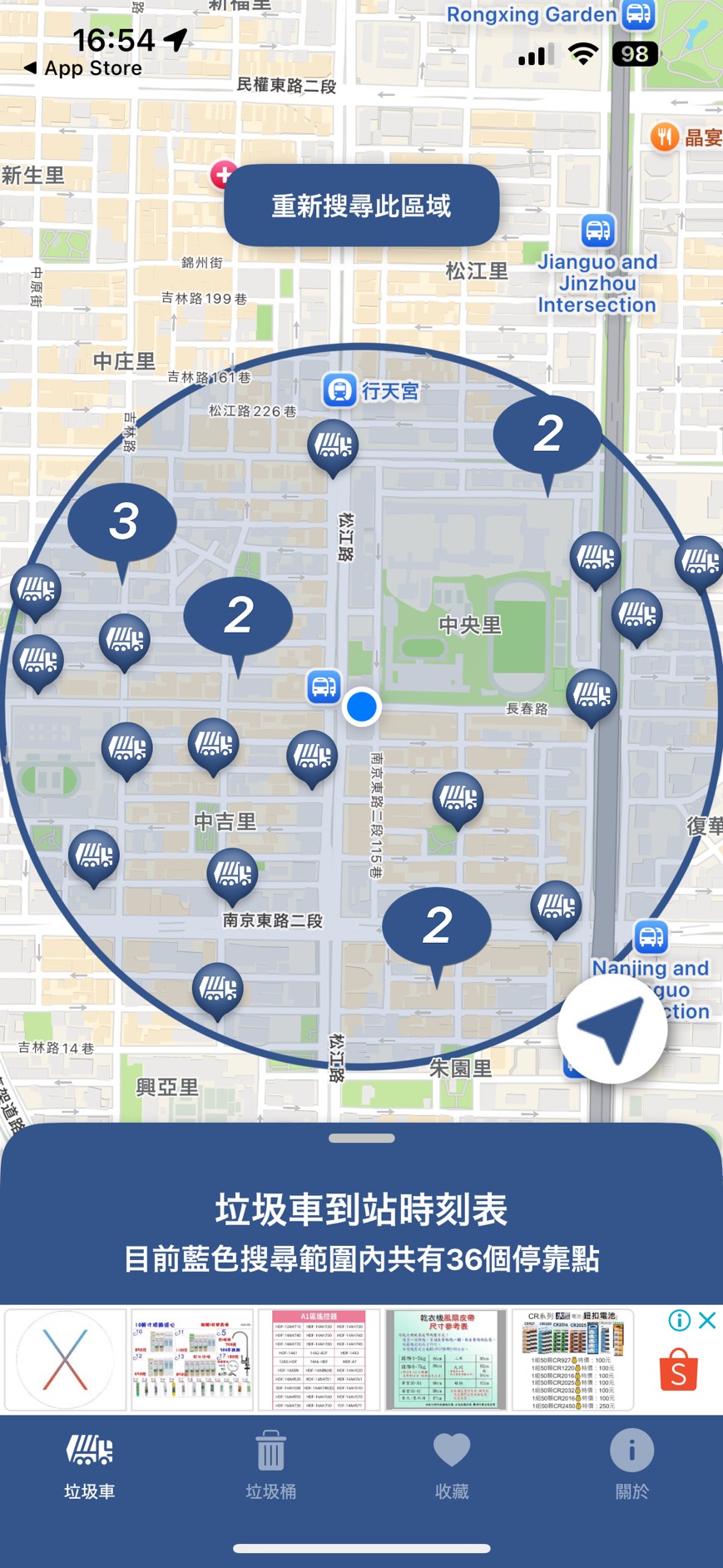
Navigate the map to find the icons:
-
Tap the Garbage Truck Icons: This gives you real-time data, including its distance from you, the arrival time, and what specific types of waste (recyclables, food scraps, etc.) are being collected that day.
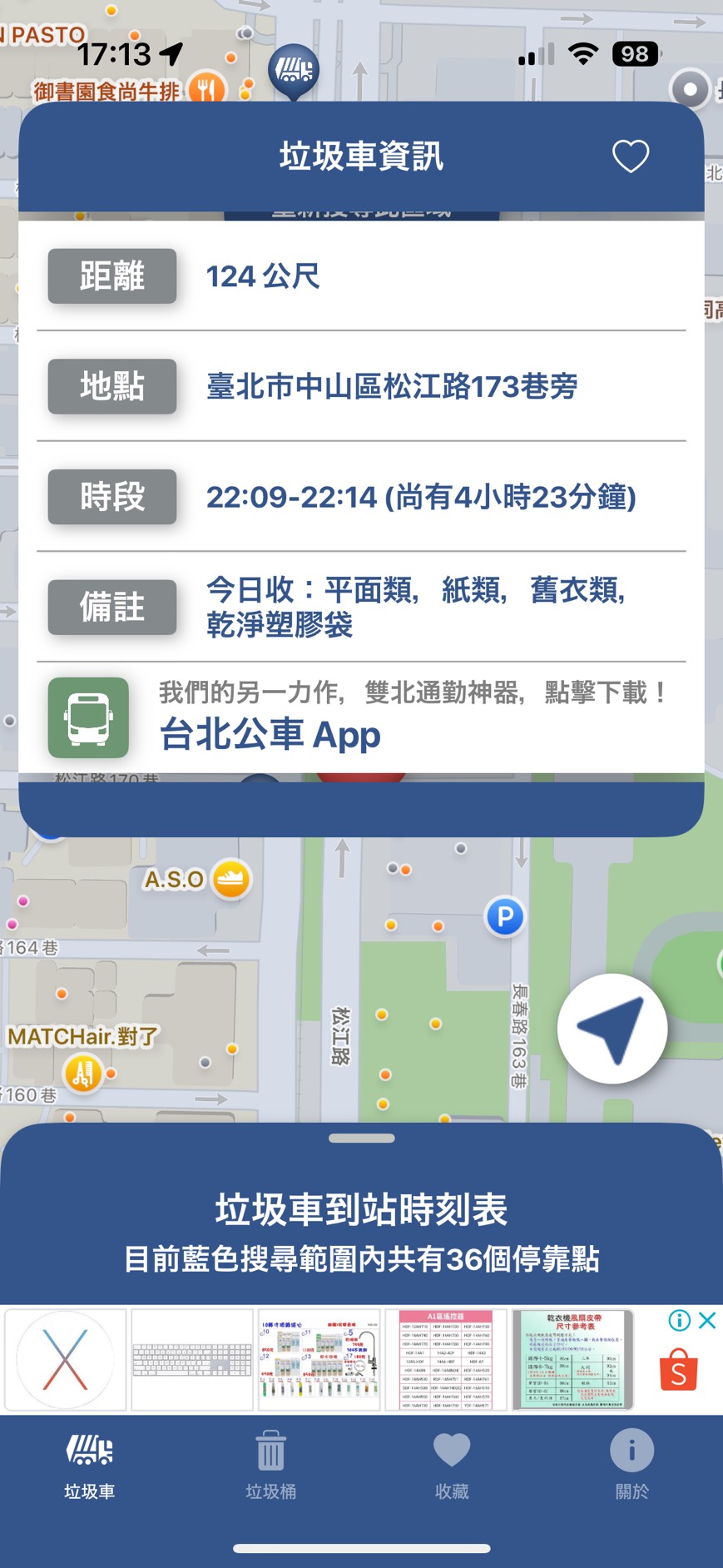
Important: There is NO garbage collection on Wednesdays and Sundays. Plan your housework accordingly!
Bonus Feature: The "Street Food" Savior
Taipei is a food lover's paradise, but we've all experienced that awkward moment: you've finished your delicious street snack, but now you're stuck carrying a greasy bag or an empty cup for blocks because there's no trash can in sight.
This app has a "Public Trash Can" finder!
-
Look at the bottom of the screen.
-
Tap "Trash Can (垃圾桶)" right next to the "Garbage Truck (垃圾車)" icon.
-
The map will show you nearby public bins, their distance, and specific disposal rules.
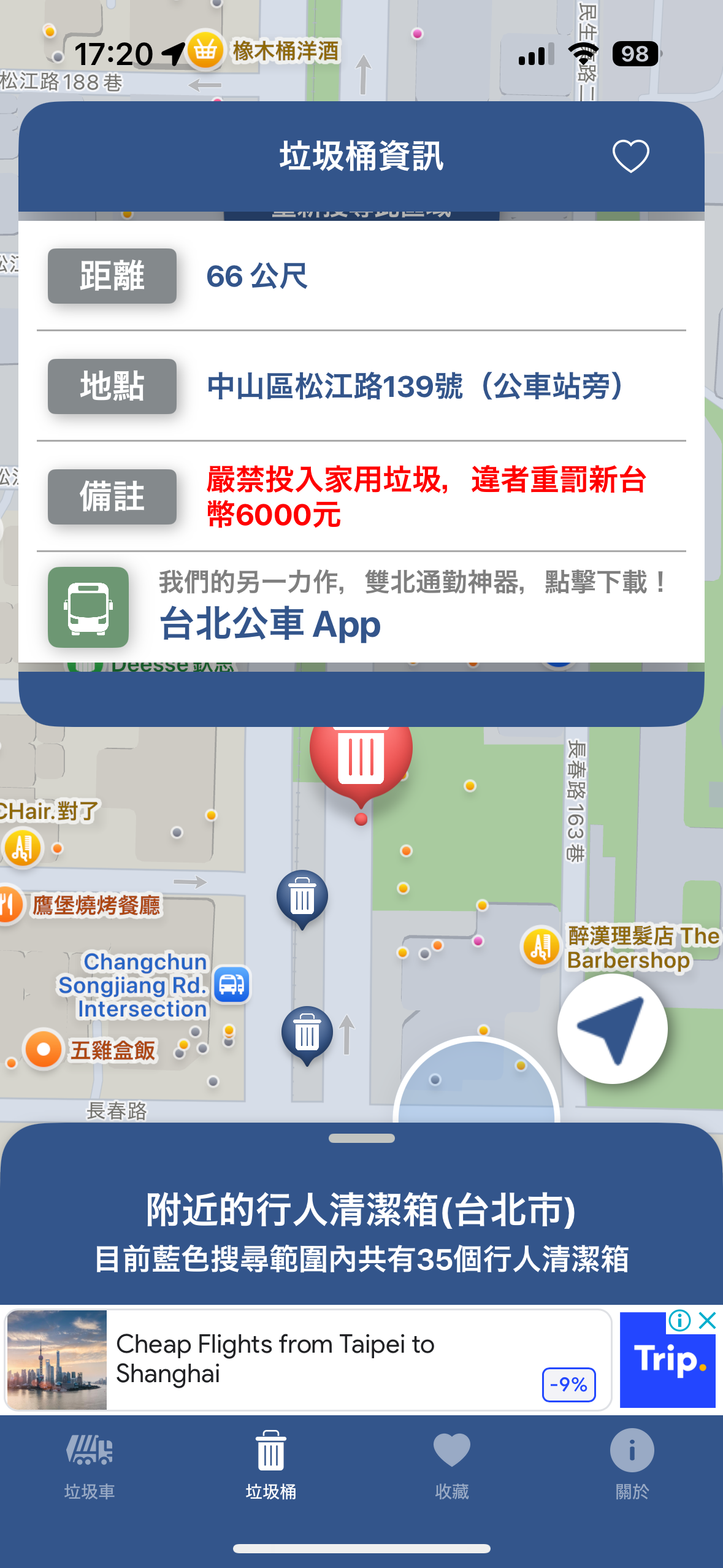
Just a Heads Up
-
Schedule Changes: Garbage collection times may change due to holidays or city maintenance without a push notification from the app.
-
App Updates: The interface and design may be updated by developers without prior notice.
Want to learn more?
With this app in your pocket, you're officially ready to tackle Taipei's trash system.